
WordPress plugin / Weather.gov / local publishing / AI context · Portfolio example
Time & Weather: WordPress Plugin
Local time, forecasts, radar and alerts connect with page location, WordPress blocks and publishing workflows on DOYJO’s local information sites.
Work directly with Brian Bateman in Sheboygan, Wisconsin. Serving businesses locally and nationwide.
The challenge
Local publishers, directories, city pages, event pages, and service-area content are more useful when people can see current time, conditions, alerts, and forecast information in the same place they are reading. Generic widgets rarely match the page, the location, or the larger publishing strategy.
Current website view
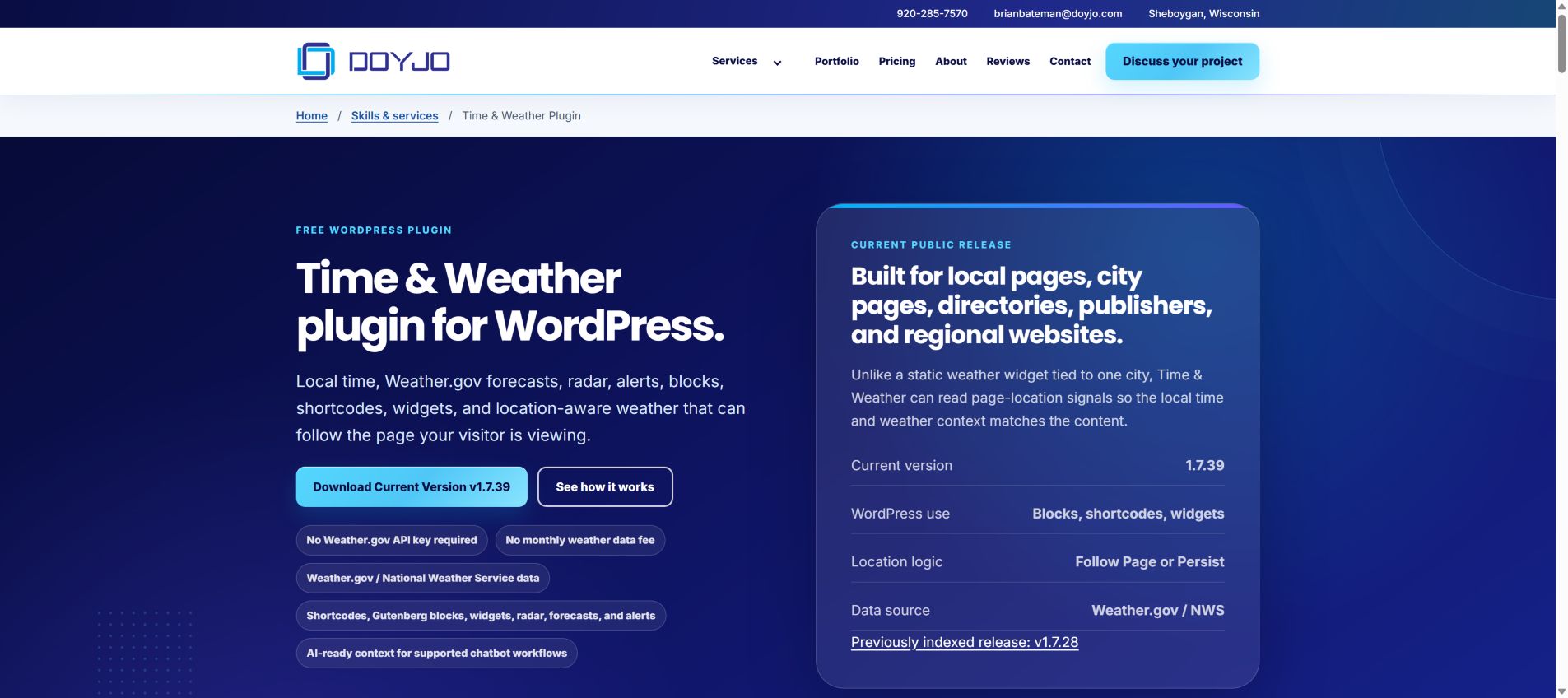
The current product page presents Time & Weather version 1.7.39, its WordPress installation options and location-aware behavior. It connects the plugin’s features with the local pages and publishing sites where they are useful.
Readable local information with local fonts
We corrected contrast, including the previous-release download link, and served the demonstration page fonts locally. Visitors can read the time and weather tools without waiting on an extra font service.
The current phone experience
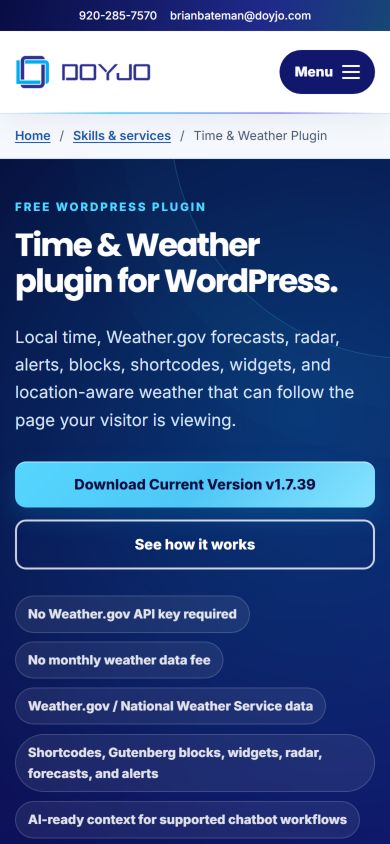
The mobile product page leads with the plugin name, a plain explanation and the current-version download action. The feature labels then explain Weather.gov data, installation options and support for local page context.
DOYJO developed the plugin for pages where time, conditions, radar, forecasts and alerts are useful alongside the content. Blocks, widgets and shortcodes provide different placement options, while location logic can follow the page or retain a chosen location.
This screenshot documents the product page at the time of review. It is separate from the earlier deployment examples below, which show how the plugin has appeared inside local publishing sites. Weather content itself changes over time.
Current view captured October 16, 2026 in Chrome Incognito with DevTools mobile emulation at 390 by 844 CSS pixels.
The solution
DOYJO built the Time & Weather WordPress plugin with shortcodes, Gutenberg blocks, modular layout components, radar, forecast accordions, alert-aware widgets, visitor location switching, Weather.gov/National Weather Service data, and optional Meow AI Engine placeholders. In larger publishing environments, DOYJO can also build supporting plugins and page-location logic so city, tag, archive, and service-area pages display more relevant local context.
The results
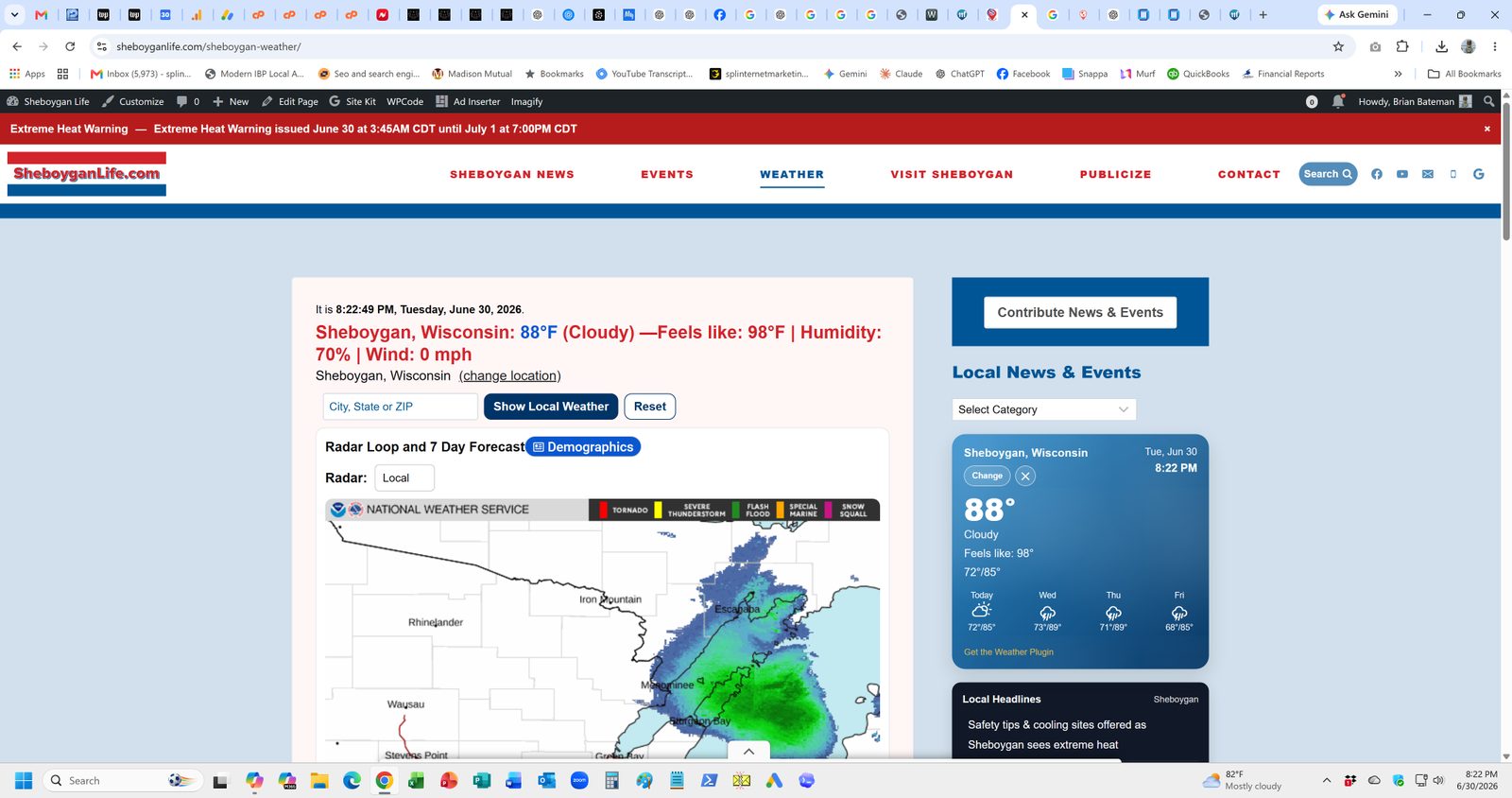
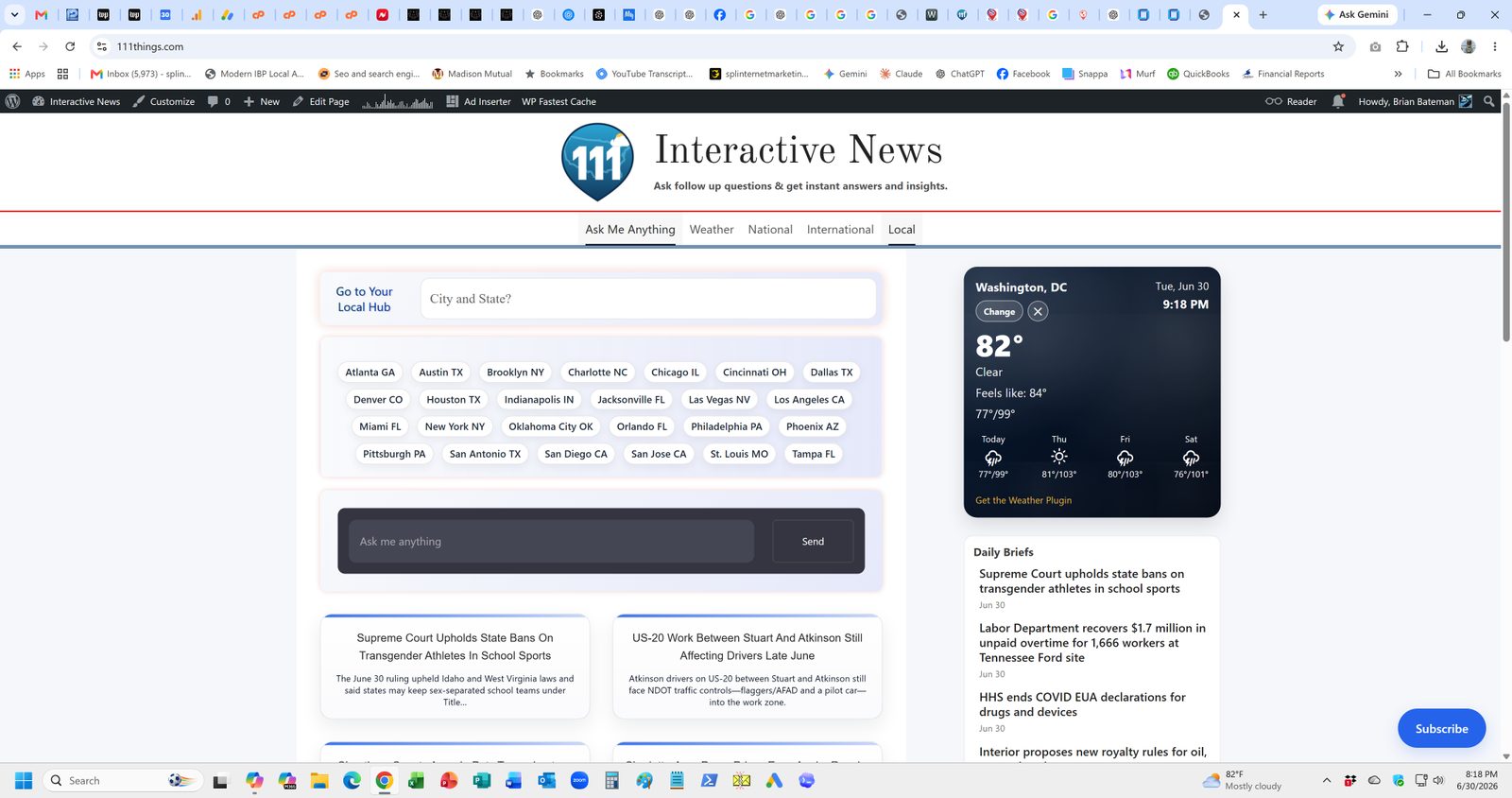
The plugin is already used in active DOYJO publishing work. It makes weather and time useful inside local articles, weather pages, city hubs, sidebars, and AI-assisted experiences. In systems such as 111Things and Sheboygan Life, those tools support automated publishing workflows that still include human review, source checking, and editorial accountability. It also demonstrates DOYJO’s ability to build custom WordPress and WooCommerce plugins when a business needs functionality that standard plugins do not handle well.
Current Lighthouse evidence
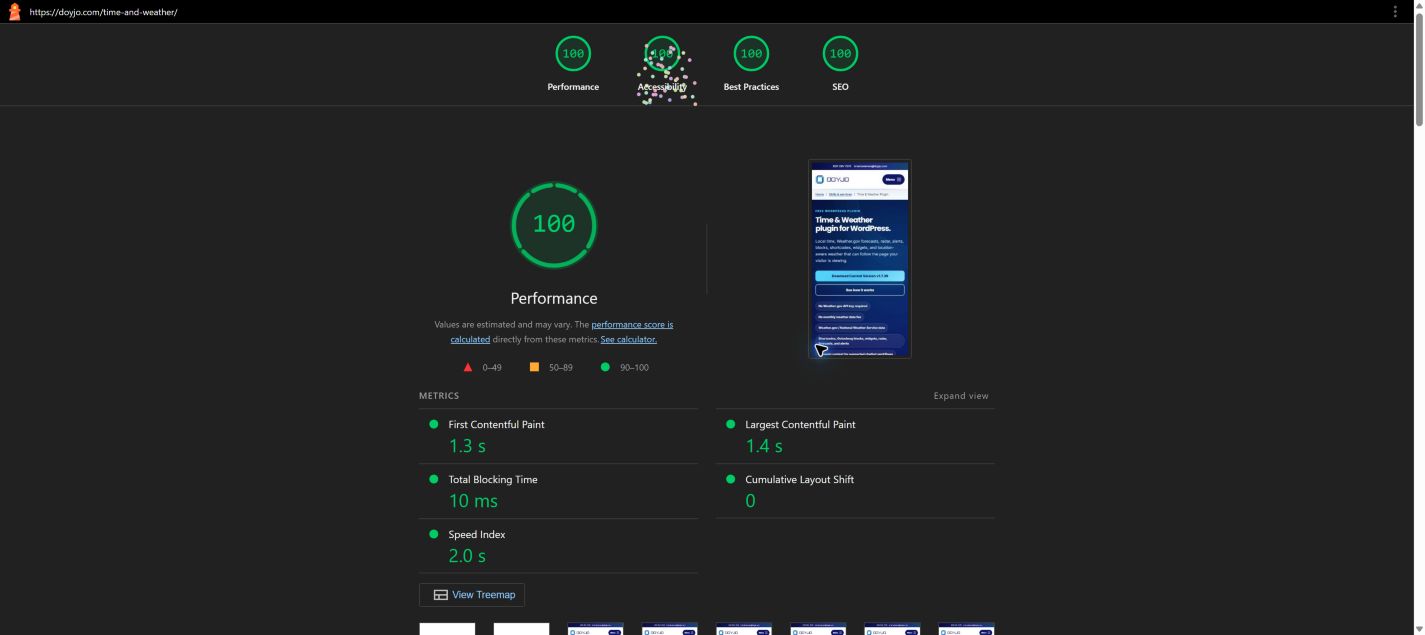
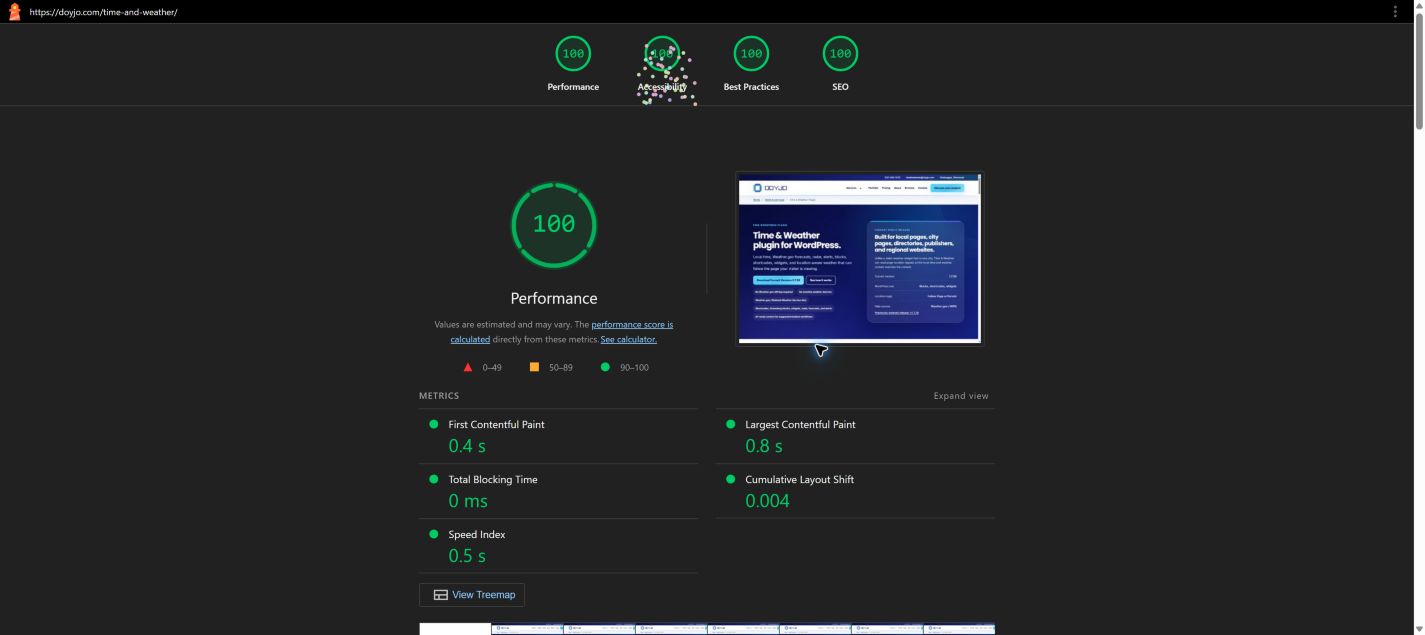
We tested the current website after the October 16 optimization work. Lighthouse 13.5.0 ran in fresh Chrome Incognito sessions with extensions disabled. The screenshots and scores below come from the same recorded runs.
These are dated lab measurements. They help identify loading and technical issues; they do not establish rankings, revenue, real-user performance or complete accessibility. Results can vary with network conditions and third-party services.
Mobile Lighthouse results
October 16, 2026 · after optimization
- Performance
- 100
- Accessibility
- 100
- Best Practices
- 100
- SEO
- 100
Completed without a Lighthouse run warning.
First contentful paint: 1.3 s. Largest contentful paint: 1.4 s. Blocking time: 10 ms. Layout shift: 0.
Moto G Power emulation with simulated Slow 4G and CPU slowdown. Audit timestamp: 2026-10-17T04:05:00.941Z. Local review date: October 16, 2026, America/Chicago.
Desktop Lighthouse results
October 16, 2026 · after optimization
- Performance
- 100
- Accessibility
- 100
- Best Practices
- 100
- SEO
- 100
Completed without a Lighthouse run warning.
First contentful paint: 0.4 s. Largest contentful paint: 0.8 s. Blocking time: 0 ms. Layout shift: 0.004.
Desktop preset with simulated network conditions. Audit timestamp: 2026-10-17T04:05:13.549Z. Local review date: October 16, 2026, America/Chicago.
Your next step
Let’s talk about your project.
Interested in an approach like this? Tell Brian about your business, the part of this example that interests you and what you want to improve.