
Custom web application / civic technology / public input · Portfolio example
Democracy Solution: Civic Platform Demo
A custom demonstration of registration, proposals, voting, results and role-based access for an organized public decision process.
Work directly with Brian Bateman in Sheboygan, Wisconsin. Serving businesses locally and nationwide.
A public participation demonstration
Democracy Solution explores a simple civic workflow: share a concern, improve its wording with others and respond to a clear community proposal. DOYJO built the public presentation and interaction paths around those steps.
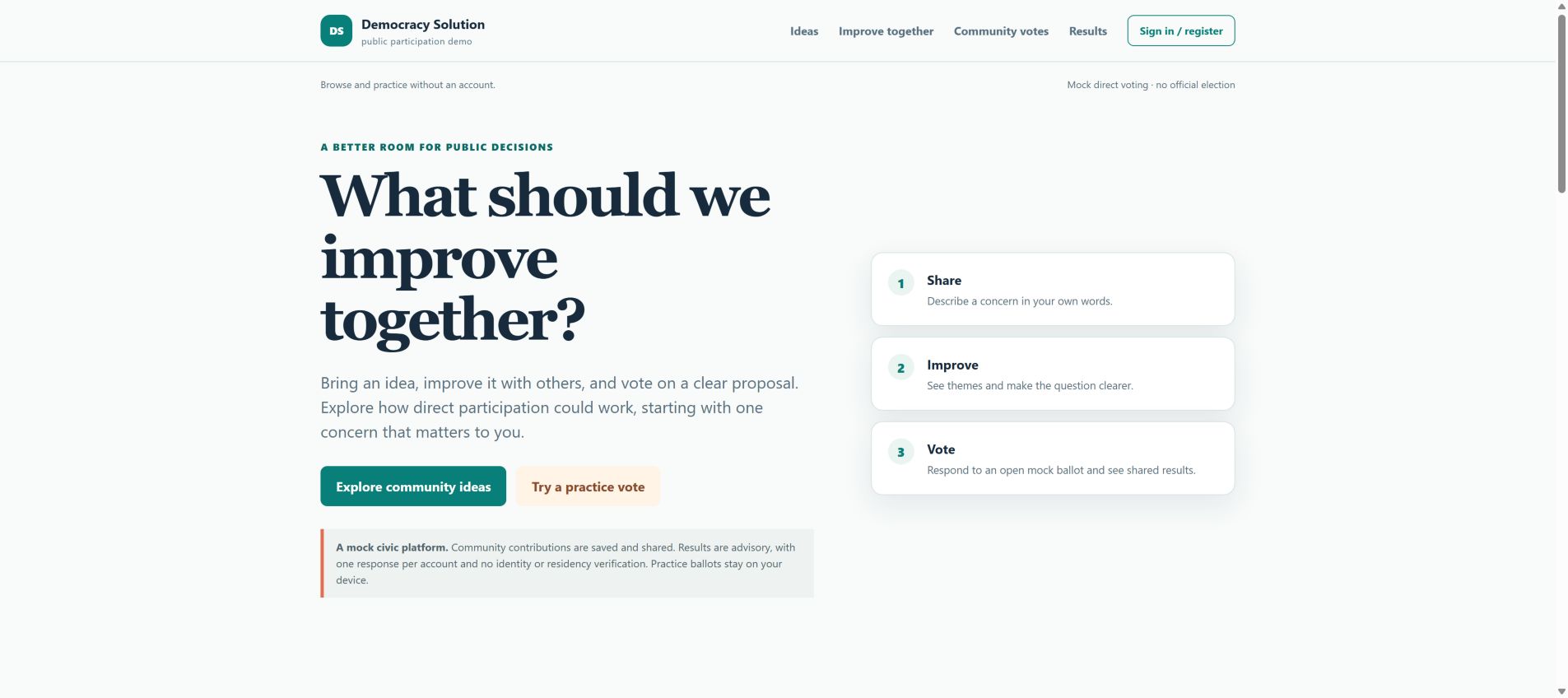
The current site distinguishes saved community contributions from practice ballots that stay on the visitor’s device. It describes shared results as advisory, limits shared participation to one response per account and explicitly states that it does not verify identity or residency.
This is a mock participation platform, not an official election system. The current interface includes community ideas, improvement paths, mock voting, results and account access.
Current website view
The refreshed homepage replaces the earlier dashboard emphasis with a direct invitation to improve a concern together. Its Share, Improve and Vote sequence explains the experience before a visitor participates.
More readable participation controls
We improved contrast for labels, corrected the accessible meaning of visual meters and supplied the appropriate site icon. The public-participation demonstration retains its original interaction flow.
The current phone experience
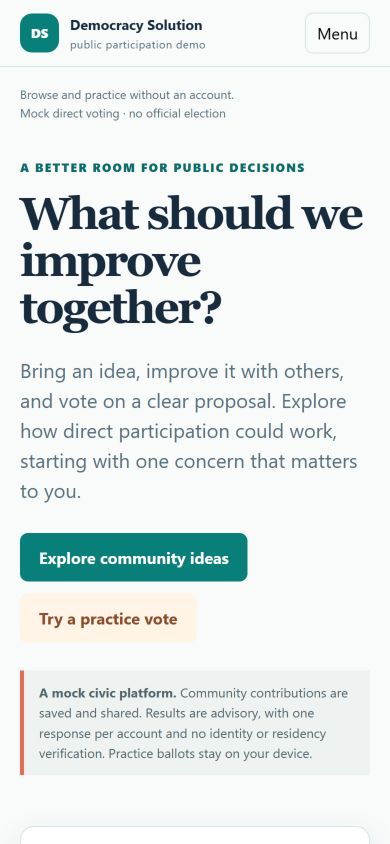
The phone layout introduces the question, explains the purpose and presents the community-ideas and practice-vote actions in a vertical sequence. The mock-platform notice stays within the introduction.
DOYJO’s work makes the participation flow understandable before asking for a contribution. Community content, account-based responses and local practice ballots have different behavior, and the current interface explains those distinctions.
This screenshot was taken without submitting a proposal or vote. It shows the public demonstration and its stated limits. It does not establish election security, representative turnout, identity verification or real-world policy outcomes.
Current view captured October 16, 2026 in Chrome Incognito with DevTools mobile emulation at 390 by 844 CSS pixels.
Current Lighthouse evidence
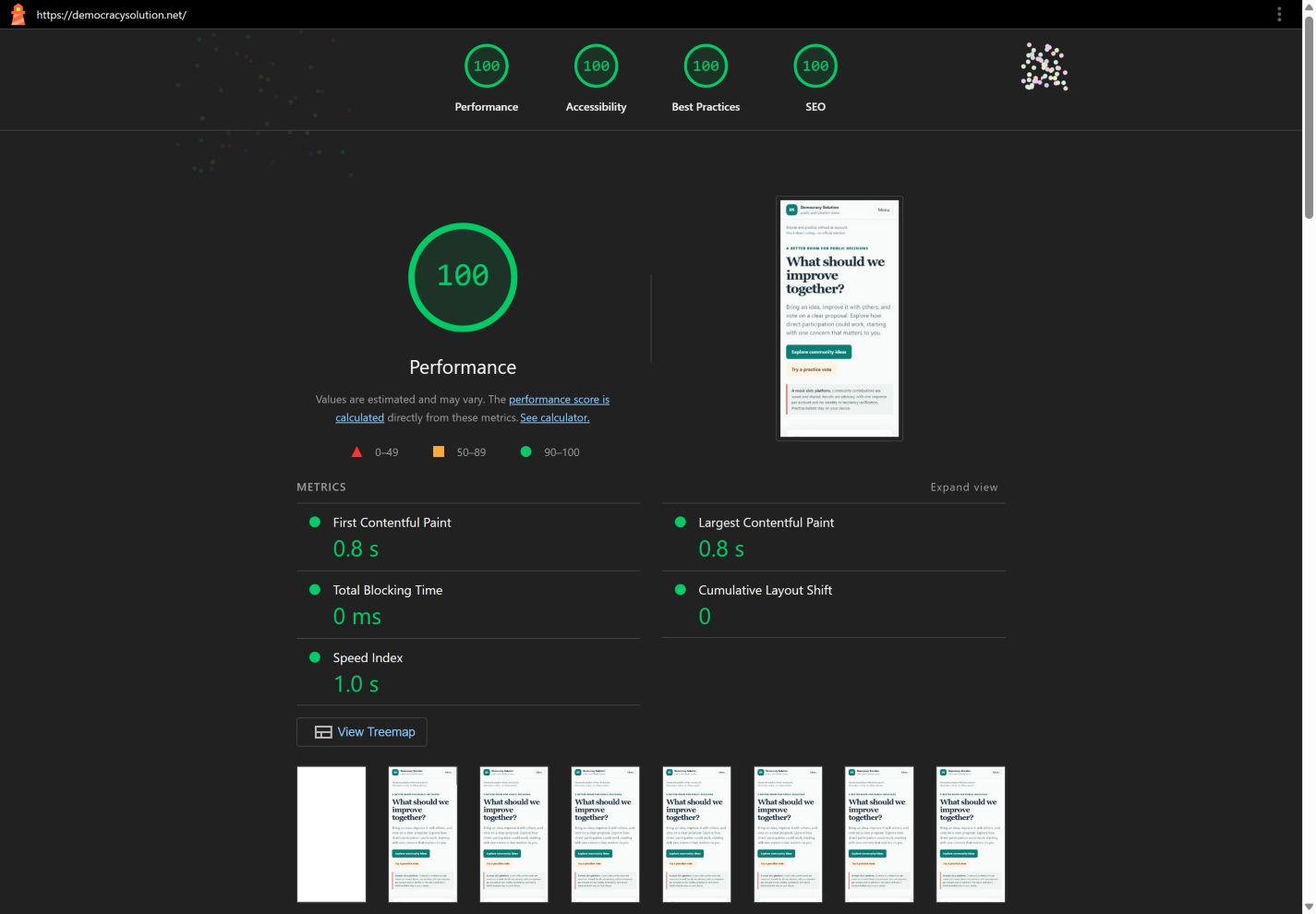
We tested the current website after the October 16 optimization work. Lighthouse 13.5.0 ran in fresh Chrome Incognito sessions with extensions disabled. The screenshots and scores below come from the same recorded runs.
These are dated lab measurements. They help identify loading and technical issues; they do not establish rankings, revenue, real-user performance or complete accessibility. Results can vary with network conditions and third-party services.
Mobile Lighthouse results
October 16, 2026 · after optimization
- Performance
- 100
- Accessibility
- 100
- Best Practices
- 100
- SEO
- 100
Completed without a Lighthouse run warning.
First contentful paint: 0.8 s. Largest contentful paint: 0.8 s. Blocking time: 0 ms. Layout shift: 0.
Moto G Power emulation with simulated Slow 4G and CPU slowdown. Audit timestamp: 2026-10-17T02:38:35.598Z. Local review date: October 16, 2026, America/Chicago.
Desktop Lighthouse results
October 16, 2026 · after optimization
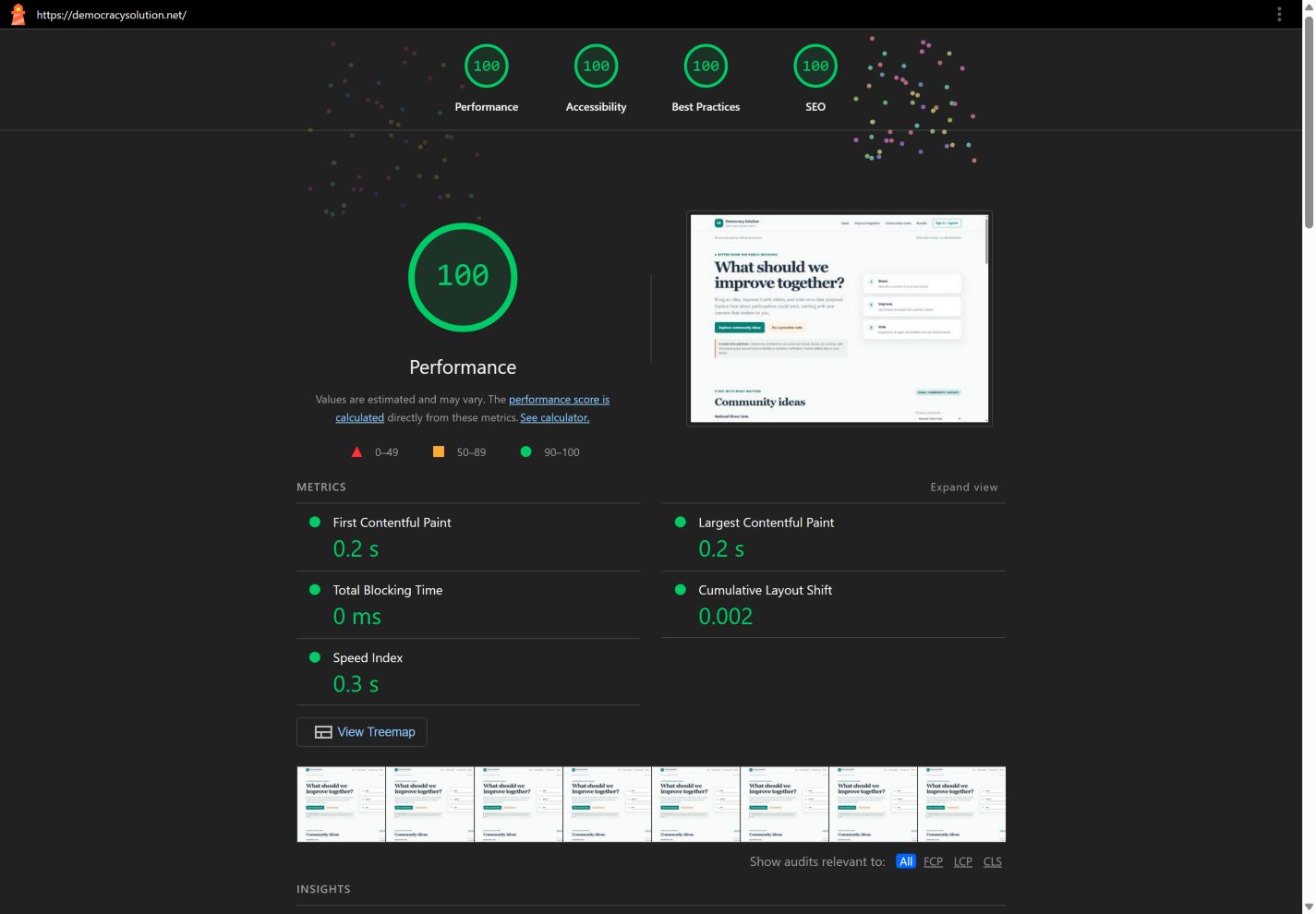
- Performance
- 100
- Accessibility
- 100
- Best Practices
- 100
- SEO
- 100
Completed without a Lighthouse run warning.
First contentful paint: 0.2 s. Largest contentful paint: 0.2 s. Blocking time: 0 ms. Layout shift: 0.002.
Desktop preset with simulated network conditions. Audit timestamp: 2026-10-17T02:38:46.409Z. Local review date: October 16, 2026, America/Chicago.
Your next step
Let’s talk about your project.
Interested in an approach like this? Tell Brian about your business, the part of this example that interests you and what you want to improve.